AI agents in AEM: faster operations for large content teams
AEM
Realize


Koen Kicken
CX Technical Consultant
AEM is built for scale: governance, permissions, repeatability, and safe change in complex environments. Adobe has now added a capability that makes everyday work faster by turning natural language requests into real actions inside AEM.
This post explains what that means for content operations teams, where it shines first, and the guardrails you should put in place.
Picture a typical content operations task in an enterprise team: audit a section of the site, find pages still using last quarter’s campaign banner, and flag what needs correction. It sounds simple, and it is - conceptually. What takes time is translating that intent into dozens of small actions inside the platform: finding the right place, applying filters, verifying components, and documenting results.
Nothing about that work is hard in principle. It’s often slow because AEM asks people to translate a clear intention into platform steps: the right console, the right view, the right filters, the right sequence.
That “translation effort” is not a sign that AEM is lacking. It’s often the result of AEM doing what enterprise platforms are meant to do: protecting structure, honoring permissions, supporting governance, and making changes repeatable at scale. Large organizations rely on those strengths every day.
What’s new is that AEM can now take more of the mechanical work off your plate.
A new way of working in AEM
Adobe has implemented AI Agents in AEM: purpose-built agents that can take natural language requests and turn them into concrete content operations, while staying inside AEM’s enterprise guardrails.
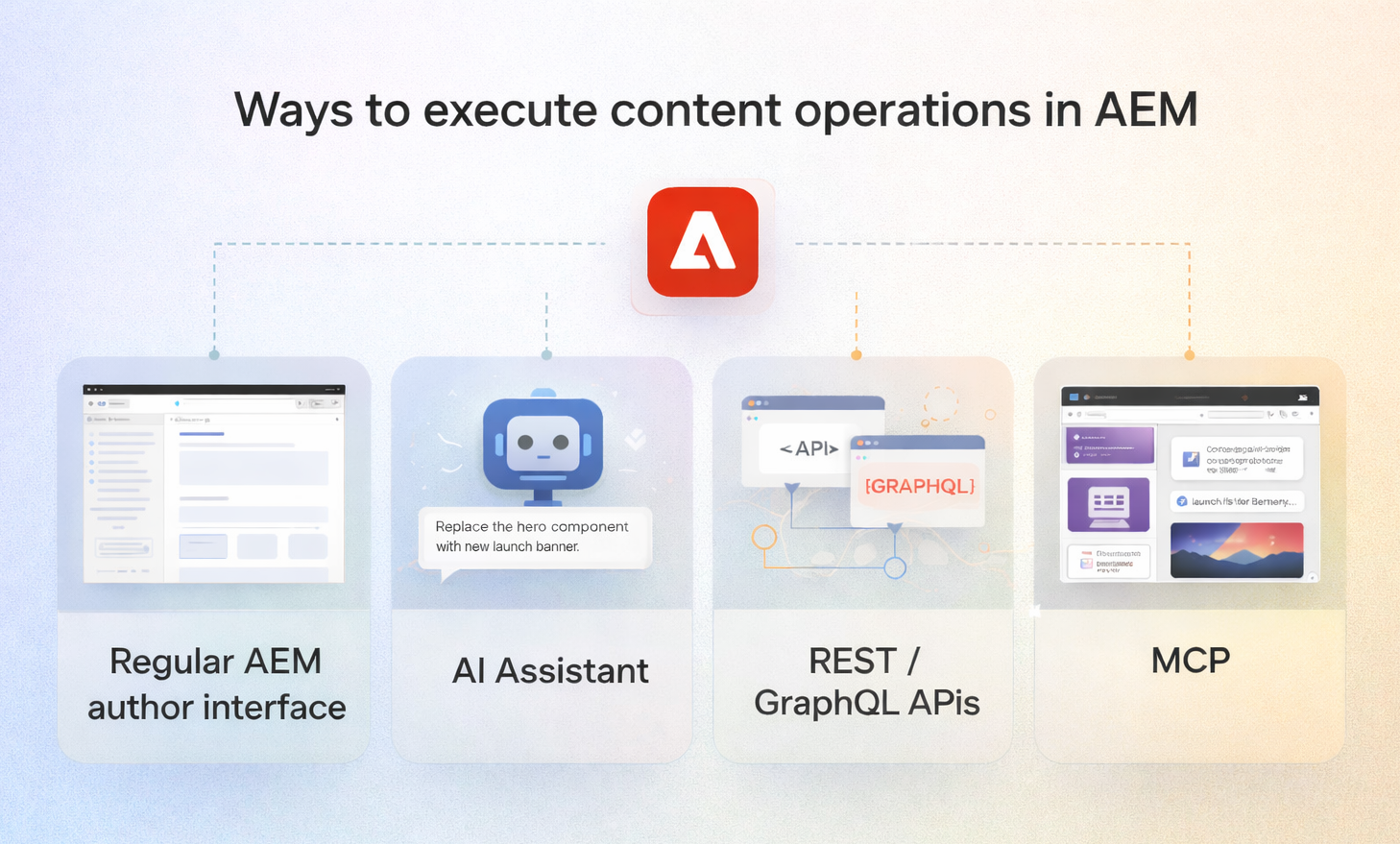
You can use these agents in two main ways:
- Using the built-in AI Assistant (embedded in AEM), where you describe what you want done and the agents help execute or orchestrate the work in AEM.
- Through MCP, where an external AI agent (like ChatGPT, Claude, or Microsoft Copilot Studio) can connect to AEM’s MCP endpoints and interact directly with AEM services. This means many tasks can be initiated from the tool you already work in — without opening the AEM interface for every step.
The result is intent-first content operations: less time spent translating “what needs to happen” into UI steps, and more time spent reviewing outcomes and keeping quality high.
What is MCP?
MCP, or Model Context Protocol, is a standard way for applications to expose “tools” to large language models, so an AI agent can call those tools in a structured, reliable way.
In practice for AEM, this means MCP-compatible applications like ChatGPT, Claude, Cursor, or Microsoft Copilot Studio can connect to Adobe-hosted AEM MCP servers, discover which AEM operations are available, and then invoke them on your behalf.
The practical impact is simple: you can work from the chatbot you already use every day, ask for an AEM task in plain language, and your agent can interact directly with AEM services — often without you needing to open the AEM interface for every step.
MCP adds another layer of value: it lets an author build a smooth end-to-end workflow inside their preferred personal AI agent. They can chat about a new campaign, upload a Word document from marketing, generate or refine visuals, translate and rewrite copy for different markets, and iterate on variants with stakeholders — all in one place. When the content is ready, the same agent can invoke AEM through MCP to create or update the right pages, components, and assets directly in the CMS for publication, with AEM’s permissions and governance still applying.
AEM still stays in control:
- Requests run under your authenticated identity and respect your existing AEM permissions.
- Adobe exposes both a read-only server and a full content operations server (including create/read/update/delete), and admins can restrict servers and permitted client apps.
- For scenarios that modify or delete content, Adobe explicitly recommends using the AEM AI Assistant interface rather than invoking MCP tools directly, because AEM Agents in AI Assistant include additional safeguards.
What this looks like in practice
Instead of navigating to the right place, setting filters, and scanning results manually, you can ask AEM something like:
- “Show me all product pages under the microsite that still use the Q3 campaign banner.”
- “List pages that contain the old product name and sort them by last modified date.”
- “Find all pages missing the legal disclaimer component.”
AEM returns a structured answer you can act on. This “read-only” mode is where most teams should begin. It’s low risk and immediately useful for discovery and audit-style tasks: inventory checks, pattern-finding, content clean-up prep, content quality checks.
Once teams are comfortable, you can move into controlled changes:
- “Update the hero image on the Q4 launch page to the new approved asset.”
- “Create a new article page using the standard template with this title and teaser.”
- “Replace the old banner component with the new one on these specific pages.”
The platform translates the request into the required AEM steps and executes them.
The human in the loop
Natural language is powerful, but it’s not deterministic. Misinterpretations can happen:
- “Update the banner” targets the wrong element because the page has two banner-like components.
- A request is structurally correct but wrong in nuance (tone, meaning, priority).
- Your wording is ambiguous in a way you only notice after you see the result.
This isn’t a reason to dismiss the capability. It’s a reason to use it with the same discipline you already apply to enterprise content operations.
A practical operating rule: treat AI-assisted output like you would treat a draft from a new colleague. It can save time and do great work, but you review before you publish.
The productivity gain is real, but it comes from reducing navigation and manual assembly. It does not remove the need for human judgment.
Faster onboarding for new team members
If you’ve ever onboarded new authors or brought an external agency into AEM, you know the pattern: people spend days learning the platform’s conventions before they can do the work they were hired to do.
This shifts that dynamic. New team members can start by describing what they want to accomplish and seeing how AEM responds. They learn the platform by doing, with the system guiding the path from intent to outcome. Over time, they still learn how AEM is structured, but they can be productive earlier.
For large organizations, that matters: agencies ramp faster, new hires contribute sooner, and institutional knowledge becomes less of a bottleneck.
Conclusion & how to get started
None of this replaces platform expertise. Information architecture, governance design, template strategy, component design, operating model decisions: those still require people who understand AEM deeply.
What changes is the tax everyone pays just to interact with the platform day to day. Discovery work that used to require developer help becomes more self-service. Repetitive tasks take minutes instead of hours. Teams spend less time translating intent into clicks.
If you’re working in AEM as a Cloud Service, start with a practical question:
What are the tasks you repeat every week that are slowed down by navigation, terminology, or manual steps you’ve simply gotten used to?
Those are your best early candidates. Keep the first wave read-only, prove value, tighten guardrails, then expand into controlled changes where it makes sense.